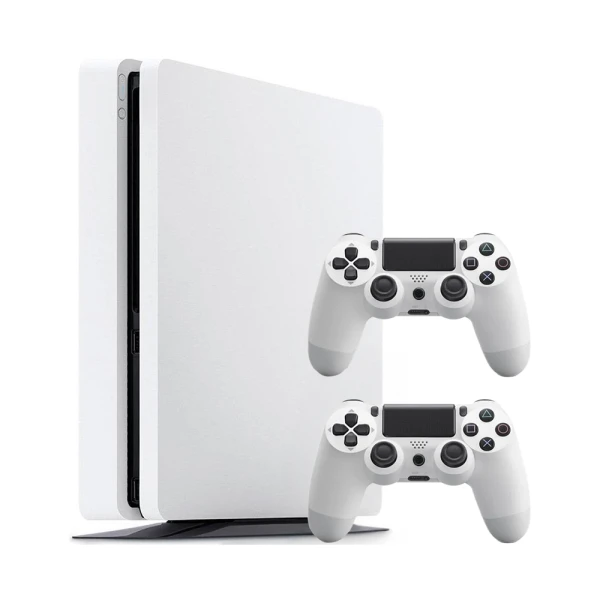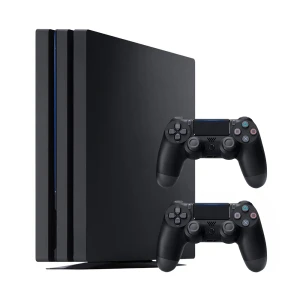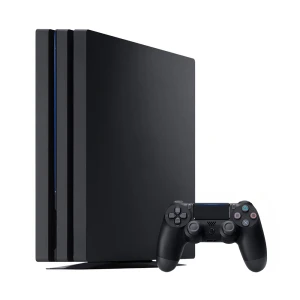
Sony PlayStation 4 Slim (PS4 Slim) 500GB White – 2 controllers
Refurbished product- 12-month warranty
- 30 days to return
- Delivery included
selected colour: (unavailable)
- 12-month warranty
- 30 days to return
- Delivery included
selected colour: (unavailable)
| Manufacturer | Sony |
| RAM memory | 8 GB |
| Built-in memory | 500 GB |
| Release year | 2016 |
| Color | White |
| Accessories | 2 controllers |
| Package contents | Power cable, 2 controllers with charging cable |
| Notes | The full refurbishment process prevents guaranteeing the IP54 or IP67 certification; therefore, it is excluded from the warranty conditions. |
| Processor | AMD |
| Graphics card | AMD Radeon Graphics |
| Manufacturer | Sony Playstation |
| Registered name | Sony Interactive Entertainment |
| Addres | 1-7-1, Konan, Minato-ku, Tokyo, 108-0075 Japan |
| Contact: | https://www.playstation.com/en-us/support/ |
A refurbished console is a pre-owned device that has been thoroughly inspected, tested, and restored by our partners to ensure it works properly. Each unit goes through cleaning, technical checks, and replacement of parts if necessary. We do not guarantee that it looks brand new or that all components are original, but it is fully functional and meets our quality standards. It’s an affordable and eco-friendly way to enjoy gaming.
The PS4 Slim isn’t more powerful than the standard PS4 since both consoles deliver the same gaming performance and visual quality. The differences lie mainly in the design, size, and power efficiency. The PS4 Slim is smaller, lighter, and quieter, making it ideal for smaller spaces. It’s a more compact and modern version of the same console, perfect for players who value convenience and efficiency.
Buying the PS4 Slim is still worth it if you’re looking for great performance at an affordable price. It offers the same power as the standard PS4 but is smaller, quieter, and more energy-efficient. You still have access to a massive library of amazing games that run smoothly and look great. It’s a perfect choice for those who want a solid gaming experience without paying for the newest generation.
The PS4 Slim was released in 2016, which makes it about nine years old. Despite its age, the console still performs very well and remains popular among gamers. It offers stable performance, a wide game library, and solid build quality, making it a great option for those who don’t need the latest generation.
The best version of the PS4 is the PS4 Pro because it offers the highest performance of all the models. With its more powerful GPU, games run smoother and look better, especially on 4K TVs. The PS4 Slim, on the other hand, is a smaller, quieter, and more energy-efficient version of the standard console, perfect for those who prefer simplicity and compact design. The choice depends on your needs, the PS4 Pro provides better graphics while the PS4 Slim offers more everyday convenience.
The PS4 Slim does not support 4K resolution for games, as it runs at a maximum of Full HD (1080p). However, the image quality is still very good and sharp enough for most players. If you want to experience games in 4K, the PS4 Pro is a better choice, as it was designed to handle higher resolution and improved visuals.
To clean the PS4 Slim, unplug it from the power source and let it cool down completely. Use a soft, dry microfiber cloth to remove dust from the surface. You can use compressed air to clean the vents but keep a safe distance to avoid damaging internal parts. Avoid using water or cleaning agents. Regular cleaning helps keep the console in good condition and prevents overheating.
The PS4 Slim is available in two storage versions, 500 GB and 1 TB. Both provide enough space for games, apps, and user data. If you play many large titles, the 1 TB version is the better choice because it offers more room without constantly deleting games. You can also connect an external hard drive to expand the console’s storage and have more space for your favorite games.
To eject a disc from the PS4 Slim, turn on the console and wait for the system to start. Then press the eject button located next to the disc slot and the console will automatically release the disc. You can also do this through the menu by selecting the game, pressing the Options button on the controller, and choosing Eject Disc. If the disc doesn’t come out, turn off the console, wait a few moments, and try again.
Manufacturer: Microsoft, Release year: 2013, RAM memory: 8 GB, Color: Black
Manufacturer: Microsoft, Release year: 2016, RAM memory: 8 GB, Color: White
Manufacturer: Sony, Release year: 2013, RAM memory: 8 GB, Color: Black
Manufacturer: Microsoft, Release year: 2015, RAM memory: 8 GB, Color: Black