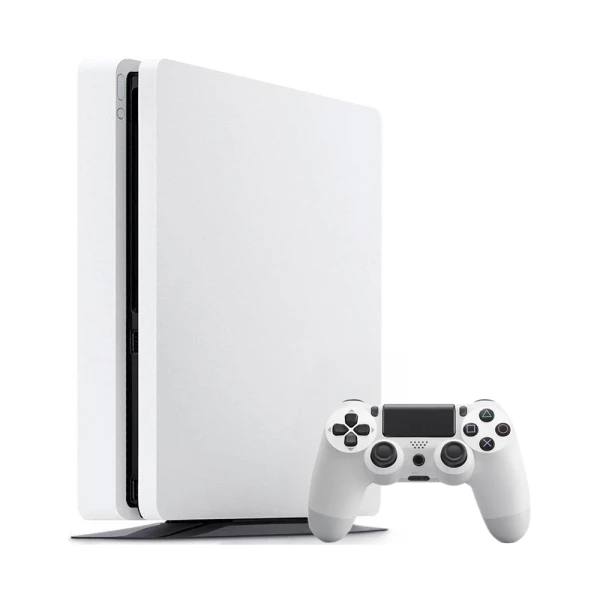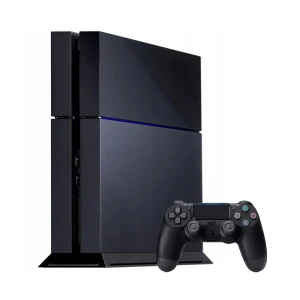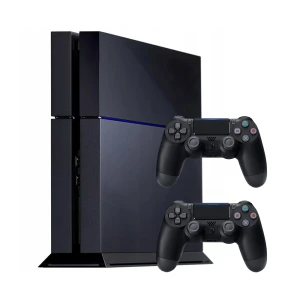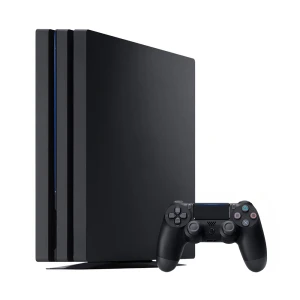
Sony PlayStation 4 Slim (PS4 Slim) 500GB White – 1 controller
Refurbished product- 12-month warranty
- 30 days to return
- Delivery included
selected colour: (unavailable)
- 12-month warranty
- 30 days to return
- Delivery included
selected colour: (unavailable)
| Manufacturer | Sony |
| RAM memory | 8 GB |
| Built-in memory | 500 GB |
| Release year | 2016 |
| Color | White |
| Accessories | 1 controller |
| Package contents | Power cable, 1 controller with charging cable |
| Notes | The full refurbishment process prevents guaranteeing the IP54 or IP67 certification; therefore, it is excluded from the warranty conditions. |
| Processor | AMD |
| Graphics card | AMD Radeon Graphics |
| Manufacturer | Sony Playstation |
| Registered name | Sony Interactive Entertainment |
| Addres | 1-7-1, Konan, Minato-ku, Tokyo, 108-0075 Japan |
| Contact: | https://www.playstation.com/en-us/support/ |
When we say that the console is refurbished it means it is not brand new but previously used and restored to proper working condition. Our partners carefully inspect, clean, test and when necessary replace certain parts to ensure the console works as it should. However we cannot guarantee that it will look like new that all components are original or that its original water resistance is preserved.
The PS4 Slim is not more powerful than the original PS4 since both use the same processor and graphics chip, so game performance is identical. The main difference lies in the design. The Slim is smaller, lighter, more energy efficient and generally quieter. It also includes an updated Wi-Fi module with 5 GHz support which the original did not have. If you prefer a compact and quiet console the Slim is a nice upgrade in comfort but not in performance.
Buying a PS4 Slim can still be a great idea if you want a reliable console for an affordable price. It runs smoothly, gives access to a huge game library and remains a solid option for home entertainment. Refurbished versions cost less than new ones and are carefully tested and restored by our partners. Keep in mind that the console may show minor signs of use, some parts might not be original and we cannot guarantee water resistance. If you are looking for good quality without overspending, the PS4 Slim is a smart choice.
The PS4 Slim was released in September 2016 which means it is now about nine years old. Despite its age it is still popular among players because it offers solid performance and access to a huge library of games at an affordable price.
There is no single version of the PS4 that is best for everyone because it depends on what you need. The PS4 Slim is a great choice if you prefer a quieter and more compact console that uses less power. The PS4 Pro is better suited for players who own a 4K TV and want higher resolution and more detailed graphics. The original PS4 is an older model that still works well but is now less common. Your choice should depend on whether you value comfort or performance more.
The PS4 Slim does not support native 4K. It runs games at a maximum resolution of 1080p and cannot display full 4K graphics like the PS4 Pro. You can still connect it to a 4K TV, and the television will upscale the image so it looks clear, but it will not be true 4K quality.
To clean the PS4 Slim, start by turning off the console and unplugging all cables. Use a soft microfiber cloth to wipe the exterior and remove any dust or fingerprints. You can use compressed air to clean the vents, keeping the can upright and at a safe distance. If you want to clean the inside, carefully remove the top cover, hold the fan still and use short bursts of air to remove dust. Avoid moisture and cleaning sprays. Wait a few hours after cleaning before reconnecting the console.
The PS4 Slim is usually available in 500 GB or 1 TB versions, although the exact capacity may vary depending on the model. The 1 TB version is a better choice if you plan to install many games and applications because it provides twice as much space. For refurbished consoles it is always best to check the product description as our partners may replace drives with others of similar capacity.
To eject a disc from the PS4 Slim, press the eject button located on the front of the console next to the disc slot. The disc will slide out slightly, allowing you to remove it gently by holding the edges. If the button does not work or the disc is stuck, turn off the console, unplug it and use the manual eject feature. To do this, turn the console upside down, find the small hole for manual ejection, insert a thin Phillips screwdriver and slowly turn it counterclockwise until the disc comes out.
Manufacturer: Microsoft, Release year: 2013, RAM memory: 8 GB, Color: Black
Manufacturer: Sony, Release year: 2013, RAM memory: 8 GB, Color: Black
Manufacturer: Microsoft, Release year: 2016, RAM memory: 8 GB, Color: White
Manufacturer: Sony, Release year: 2013, RAM memory: 8 GB, Color: Black
Manufacturer: Microsoft, Release year: 2015, RAM memory: 8 GB, Color: Black